Chat to your trading account.

Plug FxPro into Claude, ChatGPT, Codex or Grok and get your balances, margin, P/L and deposits in plain words.

The World’s #1 Broker. Now even chattier.

Same broker you trust, new way to keep tabs on your trading.

  • client accounts

    17,200,000

    Serving traders in 173 countries since 1999.

  • awards

    151+

    The trophy shelf is getting crowded.

  • industry regulations

    5

    Strict oversight across multiple jurisdictions, including the FCA in the UK.

Curious? Just ask

Any language, any wording, any time. If it’s about your FxPro account, your AI has the answer in seconds.

  • Who am I again?

    The name and email on your FxPro profile, on demand.

    • “What email do you have on file for me?”
    • “What name is on my FxPro profile?”
  • Show me the money

    Every account at a glance: platform, currency, balance and equity.

    • “What accounts do I have?”
    • “What’s my total balance right now?”
  • Margin check

    Leverage, credit, used and free margin, without opening a platform.

    • “Am I good on margin on my MT5 account?”
    • “What leverage am I on?”
  • The scoreboard

    Profit, loss and volume by instrument, day or account. Bragging rights included.

    • “How much did I make last week?”
    • “What was my best instrument this month?”
  • Money in, money out

    Deposits and withdrawals over any period, added up for you.

    • “How much did I deposit this year?”
    • “Any withdrawals last month?”
  • Drawing a blank?

    Type “What can I ask?” and your AI gives you the grand tour, with example questions, in your language.

    what_can_i_ask

One universal plug.
We built the FxPro end.

MCP (Model Context Protocol) is the open standard AI assistants use to talk to apps. You keep the AI you love, FxPro keeps your data safe, and the connector does the chatting in between.
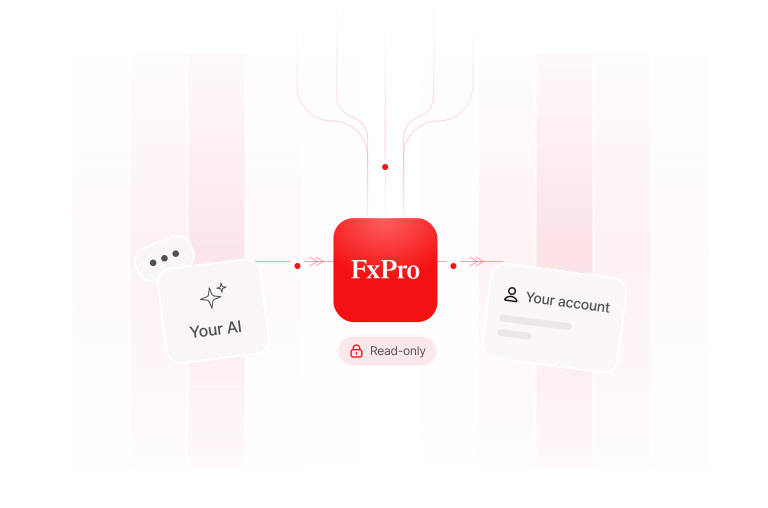
Your AI connects to your FxPro account through the read-only FxPro connector

Up and running before your coffee cools

All you need is an MCP-ready AI and your FxPro login. Pick your AI below for the exact clicks.

Claude

claude.ai and Claude Desktop

  1. Open Settings → Connectors.
  2. Click Add custom connector and paste your magic link.
  3. Choose Sign in now and let the OAuth client register automatically.
  4. Sign in with FxPro, hit Allow, done.

Copy link, paste, done

Copy, paste, done

https://mcp-server.fxpro.com/mcp

Pro tip:

Start a fresh chat after connecting so Claude picks up the FxPro know-how.

Security by design

Your AI can look. It can’t act

Curious, not careless. The connector is read-only and shares only what it needs to answer you.

  • Look, don’t touch

    Strictly read-only. No trades, no transfers, no changes. Not even by accident.

  • Your password stays safe

    You sign in on FxPro’s own page. Your password never reaches the AI or the connector.

  • Your data, nobody else’s

    Every request is tied to you. Other traders’ accounts are simply invisible.

  • Need-to-know only

    Only authorised data is shared. Internal system details stay protected.

FAQ

Questions? We’ve got answers.

(Your AI will too, once you’re connected.)

So what exactly is the FxPro MCP Connector?
Arrow
Think of it as a secure plug between your favourite AI assistant and your FxPro account. It’s built on the Model Context Protocol (MCP), the open standard AI apps use to talk to services. Once it’s in, you can ask about your profile, accounts, results and transactions in plain language.
Which AI assistants can I use?
Arrow
Claude (claude.ai, Claude Desktop and Claude Code), ChatGPT (web and desktop), Codex CLI, and Grok (grok.com and Grok CLI). Any other assistant that supports remote MCP servers with OAuth sign-in should play along too.
Can my AI place trades or move my money?
Arrow
Nope, and that’s on purpose. The connector is strictly read-only: no opening or closing positions, no deposits or withdrawals, no settings changes. Every tool is flagged read-only to your assistant.
Does the AI ever see my password?
Arrow
Never. You sign in on FxPro’s own page in your browser and approve access there. Your assistant and the connector only get a secure token, never your password.
What can the AI actually see?
Arrow
Your first name, last name and email; your trading accounts with login, status, currency, balance, equity, credit, leverage and margin; daily totals of profit, loss and traded volume; and deposits, withdrawals and other transactions. It never sees your address, date of birth, documents or verification status.
Who else sees my data?
Arrow
Whatever the connector returns becomes part of your chat with your AI provider (for example Anthropic or OpenAI). That’s why we only share the agreed fields above. How each provider handles chats is covered by its own privacy policy.
Do I need a paid AI plan?
Arrow
Depends on your AI. ChatGPT custom connectors need a paid plan with Developer mode on, and Grok custom connectors need a paid Grok plan. On business plans, an admin may need to switch custom connectors on first.
Can I see individual trades?
Arrow
Not yet. Trading activity comes as daily totals, so you can ask about profit, loss and volume by day, instrument or account, just not single deals.
Why are some numbers in USD?
Arrow
Balances and margin stay in each account’s own currency. Trading results and transaction totals are shown in USD so different accounts can be compared and added up neatly.
My AI can’t find a certain instrument. What gives?
Arrow
Use FxPro’s instrument names: GOLD instead of XAUUSD, or #US30 for the Dow Jones index.
It says the information is “not available right now”.
Arrow
First, check you signed in with the FxPro account that holds your trading accounts. Still stuck? Our services may be taking a quick breather, so try again in a little while.
It used to work, now it doesn’t. Help?
Arrow
Assistants remember connector details when you add them. Remove the FxPro connector, add it again with the same link, and start a fresh chat. Works like a charm.

Ask Like a Pro!

Two minutes to set up. A lifetime of not digging through menus.

Log in to generate your key

The FxPro MCP Connector provides read-only account information to third-party AI assistants chosen by you. Responses are generated by the AI provider, which operates outside FxPro’s control. Nothing produced by an AI assistant is investment advice.